
That's very much like analogue audio synths; you tweak a knob and the sound changes from some kind of mutant monster to a piano.Originally Posted by Jem


 Senior Member

That's very much like analogue audio synths; you tweak a knob and the sound changes from some kind of mutant monster to a piano.
Doc's website
The Health and Safety Act 1971
Recklessly interfering with Darwin’s natural selection process, thereby extending the life cycle of dim-witted ignorami; thus perpetuating and magnifying the danger to us all, by enabling them to breed and walk amongst us, our children and loved ones.
 Senior Member
Free time is SO overrated - where do I sign up for the tutorials?
Yeah - what he said!!!
RR
Metrologic HeNe 3.3mw Modulated laser, 2 Radio Shack motors, and a broken mirror.
1979.
Sweet.....
 Senior Member
It looks like flecom nail it with gradients, if you are talking about the change in colors.
Ok, here's the thing, you must have at least an intro QM2K card with two ah la cart features. Full abstact generator and full color capability, both are Pro features, however, if you contact Bill at Pangolin, you can have them added to your card via ah la cart upgrade for a nominal fee, well worth it though!
When creating abstracts, you have the standard choices for color modulation, ultimately, this will usually result in hard changes in colors:
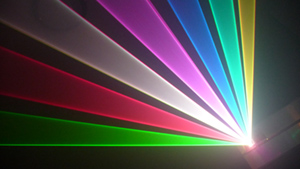
If you want the nice, smooth changes in color that you'd expect from an analog console, a little work is needed. In the Pro level abstract generator, it's a very nice feature to be able to use individual frames to create arbitrary waveforms to create all sorts of complex abstracts, there's also a feature where you can use a frames color pattern as the abstracts color modulation signal. To get the smooth analog console effect, here's what you need to do...
Start by creating a single point in a frame, you want to select the "point tool" and place the single point in the middle of the frame, then select "SFX" "Renumber..." and change the number of points to something higher, in this case, I've chosen 424 so that all the points would appear on one line:
Now you have to decide how you want the colors to modulate, to make this tutorial easy, I've decided to start with red, go to green, then to blue and back to red. So I have to imagine 4 seperate points somewhat evenly spaced. I select the very first point in the frame, change my drawing color to red, then click "SFX" "Recolor Point" "Drawing Color". Also, I select "Set or Clear Point Marker". I then go to about 1/3 of the way into the points and recolor a point to green and set another point marker. I also click the right half of the points so they become inactive so that only the points between the red point and green point are active:
Next I select "SFX" "Smooth Colors" "Blend Between Point Markers":
I continue with the next two sections:
I now have a finished line that fades smoothly between the 3 colors:
I went back and created another one that goes from red to yellow to green, etc. for more detailed color modulation, this can be set to anything, from red to blue, blue to yellow, etc. With a little practice, it only takes about a minute to create these:
Now, I click to go to frame 2, this where I'll create the abstract frame. Click "SFX" "Abstract Generator..." From here the first thing I'll do is change the color cycling from the default, which is all white to Frame 1 (I actually used Frame 6 for the screen shots as this is where I put the more detailed color cycling line that goes from red to yellow to green etc.):
Now just play around with the sliders till you have what your looking for! I know this part is the most challenging, but at least now you'll have much nicer color cycling than the standard modulation choices:
Enjoy!
Senior Member
Awesome, DZ - very NICE Christmas present for us QM2K users!!
Thanks for sharing!!
RR
Metrologic HeNe 3.3mw Modulated laser, 2 Radio Shack motors, and a broken mirror.
1979.
Sweet.....
 Eleventy-Billion Watt Ar/Kr >:)
Get back to the diapers Twinkie.
go big or go home
 Senior Member
 Needs moar photons
yes I did mean color gradients...
ive seen shows with them and I have always wondered how to do them... I have the full oscillators but dont think I have full color
thanks for the tutorial very good to know
 Senior Member
I was gonna say to use a frame as the oscillator waveform and another frame for the color mod..
Mark
 Senior Member
Hi DZ,
I got it right away, and knew how you create them. Glad you are having fun with it!
Regarding a tutorial, I do this occasionally at PL events. Buffo can probably give a good tutorial as he knows the "Trick".
But generlly the "trick" is that the abstracts are made from "harmonics". In the purest terms, the numbers themselves do not matter as much as the RELATION of the numbers. For example, if you have the Y oscillator running twice as fast as the X oscillator (for example, by un-checking the "lock" check box), you will always get the same image. So this means that a X frequency if 60 and Y frequency of 120 produces the same image as the X frequency of 100 and Y frequency of 200.
A modulator with frequency set to 10 times the oscillators will produce an image with 10 "lobes". So for example, if the modulator is set for 1000Hz and oscillator is set for 100Hz, you get 10 lobes. It is the same thing if you have the modulator set for 200Hz and oscillator frequency set for 20Hz.
So it is the *relationship* between the numbers, not the numbers themselves.
As for "money and us", Mike Dunn grew up with analog abstract generators, and the abstract generator that is built into LD2000 is very much like the analog one Mike used for years before getting LD. So Mike understands the relationships and so it is much more intuitive for him.
The abstract generator in QuickShow was built with a different philosophy -- one that is much easier to use, but also it can't do the same kind of abstracts that you see in Money&Us show.
Best regards,
William Benner
 Senior Member
Thanks for the explanation of 'relationships', i'm beginning to understand it now. I've been playing about with the abstracts this evening and it's starting to make more sense now. At least I have the beginnings of something that looks half decent!
I have the 'add-on' that gives me the 'Pro' version of the generator, but I don't have the nice colour blends, i'll contact Bill to find out the cost of the upgrade.
Cheers
Jem
Quote: "There is a theory which states that if ever, for any reason, anyone discovers what exactly the Universe is for and why it is here it will instantly disappear and be replaced by something even more bizarre and inexplicable. There is another that states that this has already happened.”... Douglas Adams 1952 - 2001

 Posting Permissions

 Reply With Quote


